Roland SPD-SX Pro vs Roland SPD-SX: Improvements and Comparison
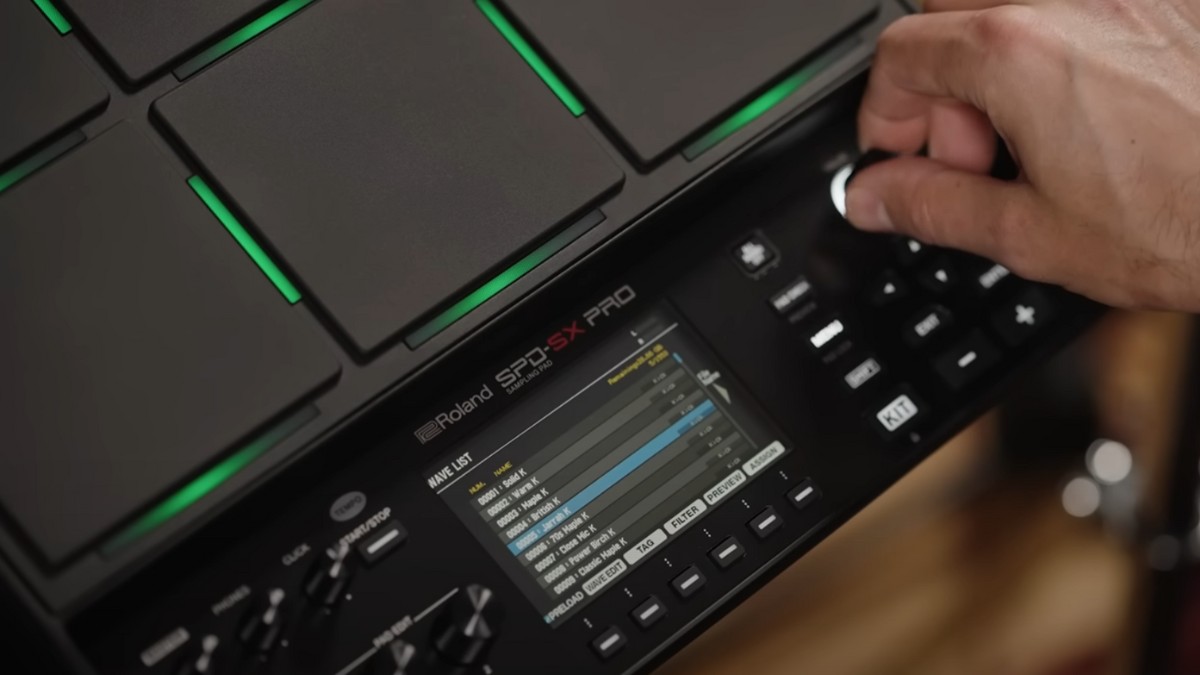
The Roland SPD-SX Pro gives you more room for backing tracks, more outputs for a live mix and a clearer screen. The original SPD-SX still handles samples, loops and backing tracks well if you need fewer connections.
If you already own an SPD-SX, Roland’s free Version 2.0 update for the Pro lets you import a backup from the original pad. That makes the upgrade easier when you’ve already built kits for a live set.
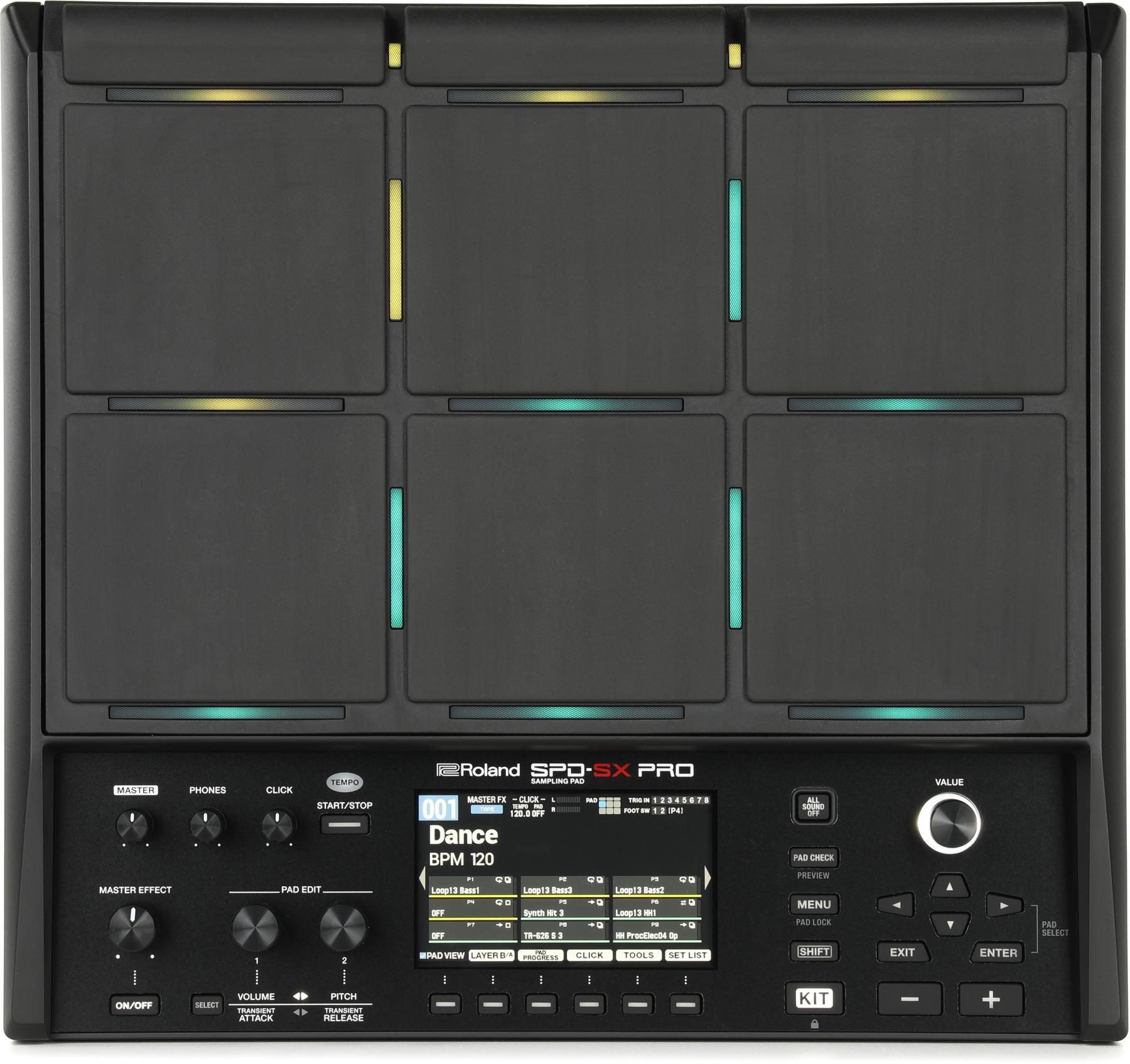

For a start, check out the complete list of improvements made to the SPD-SX Pro:
Contents
Roland SPD-SX Pro key improvements
- They’ve finally added an input for a hi-hat controller or expression pedal
- Larger colored LCD screen for better usability
- 32GB storage with more than 1,500 audio samples
- A great app for your computer that can optionally be used for editing settings and samples
- Brand-new custom 16-step sequencer that you can assign to a single pad
- Extended inputs and outputs
- Pitch control option for samples
- Sidechain compression
Roland SPD-SX Pro additional improvements
- Additional LED customization options
- Increased crosstalk protection
- Increased pad sensitivity (for the 3 upper pads)
- Automatic sample-rate conversion
- Extended file compatibility
- New sample volume and transient knobs
- Improved search bar
- Improved polyphony (from 20 to 32 voices)
- Master FX On/Off switch
- Extended FX routing
- New Master Compression effect
- Improved Pad Link Function
- Improved Setlist Function
- Improved metronome
Look and feel
At first glance, the Roland SPD-SX and the Roland SPD-SX Pro don’t look very different. They both have 9 playable pads with assignable sounds and customizable LED lights.
So, what’s new?
Improved LCD screen
SPD-SX Pro features a larger colored LCD screen that makes it easier to see, edit, and play with settings and sounds. Despite this, SPD-SX and SPD-SX Pro have almost the exact same dimensions.
Improved LED lights
The LED lights in SPD-SX Pro go across the entirety of the pad instead of being limited to one tiny button per pad.
They’re also more customizable than the lights in the previous SPD-SX version, as you can change their color, adjust them for each track, and change how they light.
With SPD-SX Pro, you can choose between:
- Having the light always on.
- Only having the light on when you play a pad.
- Making the light react dynamically to the sample waveform.
This makes it easier to play live with SPD-SX Pro, especially in darker environments such as nightclubs and underground venues.
Improved crosstalk protection
On a sampling pad, crosstalk happens when the vibration from hitting one pad triggers a sound on another pad.
If you find that annoying, you should be happy to know that Roland made an effort to increase crosstalk protection in their SPD-SX Pro pad. In addition, they have improved the sensitivity of SPD-SX Pro’s 3 upper pads, which could be hard to trigger in the previous version.
That said, I don’t think crosstalk was much of a problem for the original SPD-SX. It’s far more common to see on lower-end gear such as the alesis samplepad pro.
Internal storage, built-in samples and audio quality
Storage matters most if you carry long backing tracks or keep samples for several sets on the pad.
Storage
The SPD-SX Pro has 32 GB of internal storage. Roland currently lists 16 GB for the standard SPD-SX, but some original units and retailer listings specify 4 GB. Check the capacity of the unit you’re buying, especially if you shop used.
Built-in samples
The SPD-SX comes with 210 samples and 100 kit slots, including 16 presets. The SPD-SX Pro has more than 1,550 sounds and 200 kit slots, split between 43 rewritable presets and 157 empty user kits.
Audio quality
While the SPD-SX played samples at 44.1 kHz and 16 bits, the SPD-SX Pro plays samples at 48 kHz and 16 bits. Additionally, it converts all imported sounds to these settings automatically, so you can load supported files without converting their sample rate first.
File compatibility in the SPD-SX Pro is also extended, allowing for complete .WAV, .MP3, and .AIFF processing.
Inputs and outputs
When it comes to hardware, there’s no question that SPD-SX Pro is superior to SPD-SX. But how do the two compare in terms of inputs and outputs?
Inputs
- The SPD-SX featured 1 stereo input (Line or Mic), 2 trigger inputs, 1 footswitch input, and 1 MIDI input.
- The SPD-SX Pro features 1 stereo input (Line), 4 trigger inputs, 1 footswitch input, and 1 MIDI input.
The Pro has a dedicated jack for a hi-hat controller or an expression pedal, separate from its four trigger inputs.
When used for the hi-hat controller, this additional input allows drummers to convert the SPD-SX Pro pad into a mini drum kit. When used for the expression pedal, it lets players control audio-effect settings in real time.
Outputs
- The SPD-SX featured 2 stereo outputs (Master and Sub), 1 MIDI output, and 1 headphone output.
- The SPD-SX Pro features 1 balanced stereo output (Master), 4 balanced direct outputs, 1 MIDI output, and 1 headphone output.
Sample editing and app
Making last-minute adjustments to how some samples sound is a must, and the SPD-SX Pro features a decent number of new sample-editing features that are worth mentioning.
SPD-SX Pro’s new sample-editing features
- Two brand-new knobs in the control panel for automatic sample volume and transient tailoring.
- A brand-new pitch control option.
- An improved search bar for finding sounds more easily.
- Improved polyphony (from 20 voices in the SPD-SX to 32 voices in the SPD-SX Pro).
Wave Manager vs. new dedicated app
Managing, importing, and manually editing samples in the SPD-SX Pro is also way easier, thanks to a new dedicated computer app developed by Roland. This is an optional way to manage and edit your settings through the SPD-SX.
The old SPD-SX Wave Manager was considered to be a non-intuitive sample editor, forcing many drummers to opt for a third-party plugin. The new Roland app puts all of these concerns aside.
With a sleek design, the SPD-SX Pro app allows you to:
- Import audio directly from the computer via USB.
- Edit files in a comfortable, easy-to-use environment.
- Manage, rename, add, and delete sounds in a library.
- Change pad parameters directly on the SPD-SX Pro screen.
- Create and customize kits.
The SPD-SX Pro app is available for macOS 10.15 (or later) and Windows 10 (or later).
Audio effects
If going wild with audio effects is your thing, you’ll be happy to know that the SPD-SX Pro boasts some huge improvements in this particular chapter.
For a start, it comes with an improved Master FX knob with an On/Off switch and two FX control knobs right next to the LCD screen. The expression pedal input mentioned above can be used for controlling audio-effect settings in real-time, which is a must in terms of playability.
But that’s not all:
- The SPD-SX Pro has 4 FX engines instead of 3.
- The SPD-SX Pro features a brand-new sidechain compression option.
- Audio effects in the SPD-SX Pro can be routed through different outputs.
- The Pad Layer EQ in the SPD-SX Pro can be applied to any sample, not just to the Master channel.
- The SPD-SX Pro features a new Master Compression effect.
Functions
Two of the functions included in the old SPD-SX have been drastically improved in the Pro version.
- The Pad Link Function, which lets players link any on-board or external pads to the SPD-SX Pro, features a new software editor that allows you to connect more than twice the number of pads you could connect with the previous version (two).
- The Setlist Function in the SPD-SX Pro lets players create 32 personalized kits for each of the 32 kit groups available. In the old SPD-SX, this function was limited to 20 personalized kits per each of the 8 available kit groups.
The SPD-SX Pro also includes a brand-new 16-step sequencer, which allows you to assign 2 to 16 steps to each pad and fully program them for live shows.
Playability
The SPD-SX Pro is superior to the SPD-SX in terms of playability because it maintains all of the playback features of its predecessor while featuring a few useful, additional options.
Here’s what you can do with both the SPD-SX and the SPD-SX Pro:
- Assign two sounds to each pad (Master and Sub).
- Set an audio-dynamics level for each pad or play each pad at a fixed volume.
- Select between three playback modes: loop, re-trigger each hit, and alternate between start and stop.
Here’s what you can do with the SPD-SX Pro but not the SPD-SX:
- Alternate between Master, Sub, and Both (whenever two sounds are assigned to the same pad).
- Play a sound sequence with a single hit thanks to the new built-in 16-step sequencer.
Click (metronome)
As any reader should know, the built-in click/metronome is an important feature of any drumming device. Fortunately, the SPD-SX click was vastly improved in the new Pro version.
Here’s what you can do with both the SPD-SX and the SPD-SX Pro click:
- Assign a click to each pad.
- Customize the click for tone, beats in the bar, and note value.
Here’s what you can do with the SPD-SX Pro click but not the SPD-SX click:
- Start the click with a pad hit.
- Import your own .WAV click sound (perfect for incorporating backing tracks).
- Use the sampling pad internal click.
Verdict
To sum it up, this is how the SPD-SX and the SPD-SX Pro compare to one another:
| Feature | Roland SPD-SX | Roland SPD-SX Pro |
| Internal storage | 4 GB or 16 GB, depending on the unit | 32 GB |
| Built-in samples | 210 | 1,550 |
| Audio quality | 44.1 kHz (16 bits) | 48 kHz (16 bits) |
| Kit presets | 16 | 43 |
| External trigger input jacks | 2 | 4 |
| Analog outputs for the mixer | Stereo master and stereo sub | Balanced stereo master and four balanced direct outs |
| Hardware screen | Graphic LCD | 4.3-inch LCD |
| Sidechain compression | No | Yes |
| 16-step sequencer | No | Yes |
| Importable click | No | Yes |
Choose the SPD-SX Pro if you need separate outputs for the front-of-house mix, more external triggers or room for a large library. If your SPD-SX already handles your set, keep it. When you’re ready to upgrade, Version 2.0 can load an SPD-SX backup, and its time-stretching tools can fit a loop to a different song tempo.