How To Set Up Double Bass Pedals With Your Drum Set
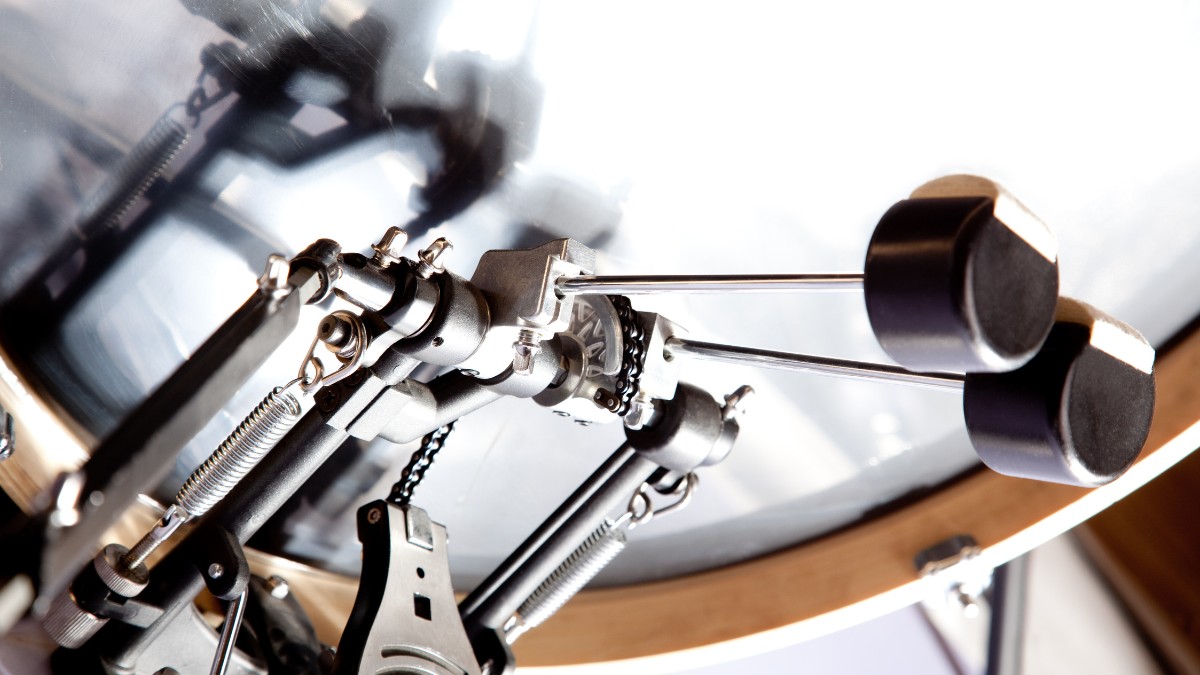
Setting up double bass pedals involves connecting the master and slave pedal, attaching the master pedal and positioning the slave pedal next to the hi-hat pedal, and testing out the setup with convenience in mind so that you can play comfortably.
The process of setting up double bass pedals is a straightforward one that requires just a bit of research. You need to connect both pedals, attach and position them, and make sure they are comfortable for you to play. Naturally, adjusting the spring tension, footboard angle, and beater height are adjustable features to keep in mind when doing this.
Let’s go over the step-by-step process of how to tackle setting up double bass pedals so that everything fits and plays comfortably.
Placing the Double Bass Pedals
As you set up your double bass pedals, the placement of the master and slave pedal is crucial for balance and convenience. To properly position the pedals:
- Ensure the master pedal is attached to your bass drum and is easily reachable for your dominant foot i.e. as you would a single drum pedal. Square the clamp on the hoop and check that the pedal sits flat before tightening it. Reverse the foot positions below for a left-footed setup.
- Place the slave pedal right next to the hi-hat pedal, so your non-dominant foot can comfortably operate it without straining. On a right-footed kit, a useful starting point is to put it between the hi-hat pedal and snare, though either side can work if your hardware and stance allow it.
- Fine-tune the pedal positions so that you feel comfortable and confident in executing various drumming techniques. Adjust the connecting shaft to reach both pedals without binding or pulling its sections past the manufacturer’s limits, then secure its joints as the manual specifies. Check clearance around the snare stand and hi-hat legs.
Adjusting the Pedals
Once the first step is done, you’ll need to adjust the pedals to achieve optimal performance and comfort while playing. Here are some key adjustments to consider:
Spring tension
Modify the tension in your pedals to match your playing style. Start with a setting that lets each beater return reliably, then try slow alternating strokes and faster passages. Tighter springs increase resistance as well as return force, so they do not automatically make you faster. Adjust each side for control and secure the locking nuts afterward.
Footboard angle
Customize the angle of the footboard according to your comfort, ensuring your foot can maintain contact and control of the pedal motion. Check your model’s manual first: footboard and beater angles can be linked, while some pedals let you adjust them separately.
Beater height
Set the height of the beaters so they strike a suitable area of the bass drum head. With two beaters on one drum, both cannot hit the exact center, so aim for neighboring strike points and compare their sound. Check that each beater face meets the head evenly and that both shafts remain securely held.
It’s vital to take the time to experiment with these adjustments, finding the right balance that suits your unique drumming style. By optimizing pedal tension, footboard angle, and beater height, you’ll achieve greater comfort and efficiency while playing.
Conclusion
Setting up double bass pedals is an easy process that takes little time. You need to connect the master and slave pedal, attach the master pedal to the bass drum and position the slave pedal next to the hi-hat pedal, and finally, adjust the positions so that you can play comfortably. Remember to take the time to experiment with pedal tension, footboard angle, and beater height, so that your double bass pedals become an extension of your natural playing style.