The 15 Best Distortion and Saturation Plugins (2026)

Distortion and saturation plugins can add gentle colour, bring a drum bus forward or turn a clean recording into a much rougher sound. These 15 free and paid options cover simple drive, tape and tube modelling, multiband processing and creative effects.
Saturation is a form of nonlinear distortion, often used for the softer colour associated with analogue circuits or tape. You can create it entirely inside a DAW: no analogue hardware is required. Start with modest drive and compare the processed and dry signals at similar levels.
Soundtoys Decapitator is a good starting point for a paid all-rounder. For a simple free option, try Softube Saturation Knob; Saturn 2 offers much deeper control if you want separate frequency bands and modulation.
Contents
- 1. Soundtoys Decapitator
- 2. PSP VintageWarmer2
- 3. Softube Saturation Knob
- 4. Klanghelm SDRR
- 5. FabFilter Saturn 2
- 6. Chow Tape Model
- 7. Klanghelm IVGI 2
- 8. Shattered Glass Audio Phoenix LT
- 9. McDSP FutzBox HD v7
- 10. Waves OneKnob Driver
- 11. Waves Abbey Road J37 Tape
- 12. iZotope Trash
- 13. D16 Group Redoptor 2
- 14. Vertigo VSM-3
- 15. Brainworx bx_saturator V2
- Conclusion
1. Soundtoys Decapitator

Soundtoys Decapitator gives you five models of analogue studio hardware, with enough range for gentle colour or heavy distortion. The Drive control sets how hard you push the model, while Tone, Low Cut and High Cut help keep the result useful in a mix.
The Mix knob is particularly useful on drums: blend the distorted signal with the original to keep some of the clean attack. For a more aggressive sound, the Punish button adds an extra 20 dB of gain into the model. Match the output level before judging the change. Its filters and tone controls help shape the result.
The current Soundtoys 5.5 generation runs as a 64-bit VST2, VST3, AU or AAX plugin in a compatible host. It is paid software with iLok-based authorisation; internet access is needed when activating it. Windows ARM machines are not supported.
2. PSP VintageWarmer2

PSP VintageWarmer2 combines analogue-style compression, limiting and saturation. It is a useful choice when you want to control a drum bus or a complete mix while adding some tape-like colour, rather than simply turn up a distortion effect.
The package includes three processors: MicroWarmer, VintageWarmer LE and VintageWarmer2. PSP recommends the lighter LE or MicroWarmer versions for multitracking, reserving the full version’s FAT processing for groups and mastering where it is needed. That gives you a more practical choice than putting the heaviest processing on every track.
This is a paid full licence for Windows and macOS, including native Apple silicon support and VST, VST3, AU and AAX formats where applicable. An iLok account and License Manager handle authorisation; a hardware dongle is optional. The trial is separate from the purchased licence.
3. Softube Saturation Knob

Softube Saturation Knob is a simple free plugin for adding harmonics without working through a large set of controls. One main knob sets the amount of saturation, making it an easy place to start on vocals, bass or a drum loop.
The three modes are Keep High, Neutral and Keep Low. These are different saturation characters with frequency protection, rather than low, normal and high amounts. Keep Low is useful when you want to drive a bass part while preserving its low end; Keep High protects the upper frequencies.
Saturation Knob is genuinely free, although you still need Softube and iLok accounts to install and authorise it. A physical iLok is not required. Use the AU, VST, VST3 or AAX version supported by your Windows or Mac host.
4. Klanghelm SDRR
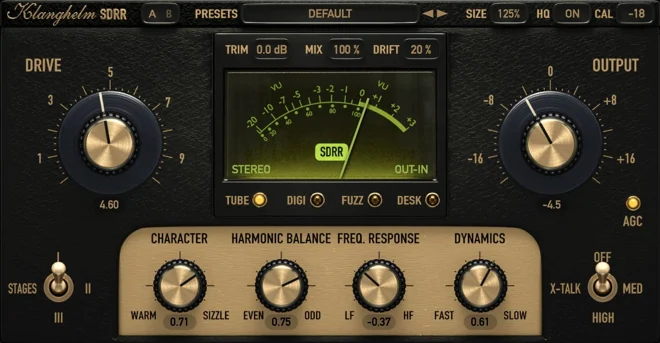
Klanghelm SDRR covers four different types of saturation: Tube, Digi, Fuzz and Desk. That makes it useful when you want to compare several characters on the same recording instead of swapping between unrelated plugins.
Tube models preamp behaviour, Fuzz draws on germanium circuits, Digi adds controlled harmonics and bit reduction, and Desk takes a mixing-console approach. The controls change with the model, so you can shape the drive instead of settling for a single sound. Its level-difference metering also helps you compare processed and dry signals fairly.
SDRR is paid software, and its licence includes the Windows and Mac formats. It supports 64-bit VST, VST3 and AAX, plus AU on Mac; Windows 10 and macOS 10.13 are the stated minimum systems. Apple silicon runs natively. Klanghelm uses no copy protection. The free IVGI below offers a smaller selection of controls, rather than the full SDRR feature set.
5. FabFilter Saturn 2
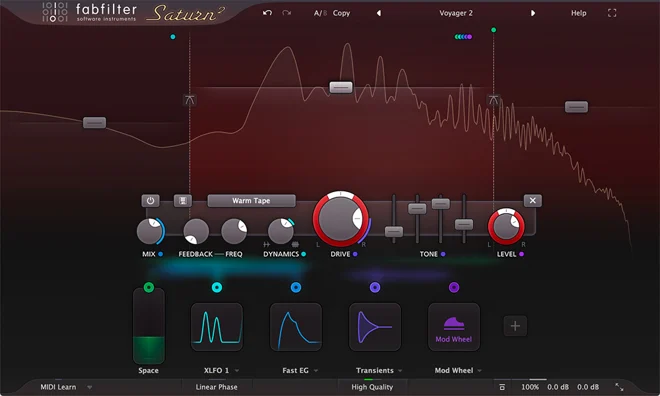
FabFilter Saturn 2 is the choice here for detailed multiband saturation and moving effects. It provides 28 distortion styles, from tape and tube colours to much more obvious sound-design effects.
You can split the signal into up to six bands and give each range its own processing. On a drum bus, for example, keep the kick’s low end restrained while adding more grit to the snare and cymbal range. The modulation system has 50 slots; that does not mean 50 audio bands.
Saturn 2 also provides mid/side processing and oversampling options. Its flexibility takes more learning than a one-knob effect, but it gives you room to build evolving textures as well as subtle colour. This link is for the full Saturn 2 licence, not the upgrade that requires Saturn 1. It needs a compatible host; the 30-day trial is not a free full licence.
6. Chow Tape Model
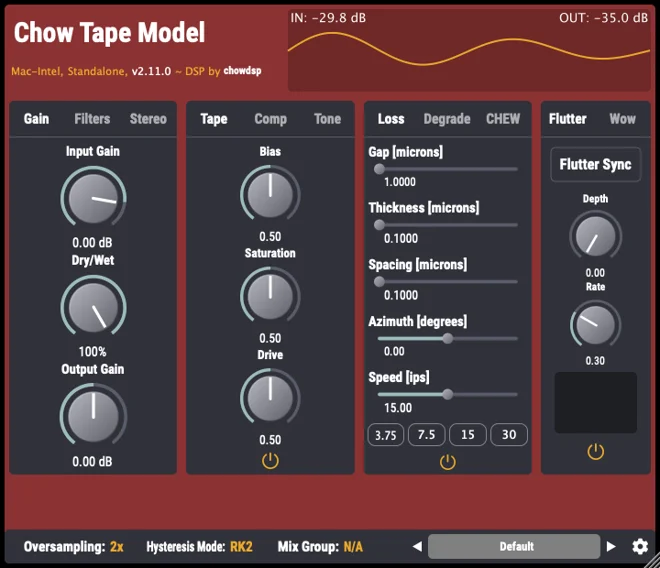
Chow Tape Model is a free reel-to-reel tape simulation for adding tape colour and shaping transients. Official installers are available for Windows, Mac and Linux and native support for Intel and Apple silicon Macs.
Beyond saturation, you can work with tape speed, bias, compression, loss and degradation, then add flutter or wow for a less stable recording. Start with the tape controls for a drum bus; bring in the mechanical effects when you want a more obvious worn-tape sound. Its many controls make it less immediate than Saturation Knob.
The current stable desktop release is 2.11.4. Chow Tape Model is open-source software under GPLv3, with no paid full-version unlock or licence activation. Desktop formats include VST, VST3, AU, AAX, CLAP and LV2, alongside a standalone version; available formats depend on the platform. Use a supported DAW for the plugin editions.
7. Klanghelm IVGI 2
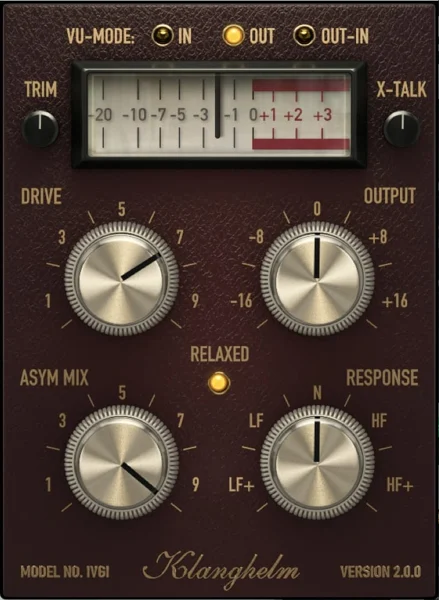
Klanghelm IVGI 2 is a free option for subtle saturation or more noticeable distortion on individual tracks. It has an official developer download and supports current 64-bit hosts.
Drive sets how hard the signal is processed, while Asym Mix changes its symmetry and Response adjusts how saturation reacts across the frequency range. These controls make it useful when a single-knob effect feels too limited, without taking you into a full multiband processor. IVGI is related to SDRR’s Desk mode, but it does not include all four SDRR models.
Version 2.5.0 is freeware for Windows 10 or later and macOS 10.13 or later, including native Apple silicon support. VST, VST3 and AAX are available on Windows and Mac, with AU on Mac. It needs a compatible host and uses no copy protection.
8. Shattered Glass Audio Phoenix LT
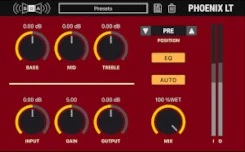
Phoenix LT is Shattered Glass Audio’s free successor to the discontinued SGA1566. It keeps the useful tube-preamp role, modelling two 12AU7 triodes for gentle drive or a dirtier sound when you push the gain.
The three-band Baxandall-style EQ can sit before or after the preamp, which changes whether you shape the signal going into distortion or the result coming out. Auto Gain and the wet/dry control help when comparing settings or blending the effect with the original recording. Automatic 4x oversampling is included.
The free desktop version is 1.3.1 and requires Windows 11 or macOS 14 or later. It supports VST3 and AAX on Windows, and VST3, AUv2 and AAX on Intel and Apple silicon Macs. It runs inside a compatible host. Phoenix 2 is a separate paid product with additional saturation options and EQs; you do not need it to use Phoenix LT.
9. McDSP FutzBox HD v7

McDSP FutzBox is a specialist choice for distorted voices, small-speaker sounds and other deliberately restricted audio. Its SIM modelling, filters, distortion, noise and gating are useful for post-production, but also for making a vocal or drum part sound as though it is coming through a different device.
That broader set of tools is the reason to choose it over a simple saturation plugin. Try a phone-like vocal, a noisy radio effect or a narrow, gritty drum break, then automate the processing to bring the clean recording back into the mix.
The current full HD v7 licence includes AAX DSP as well as AAX Native, AU and VST3. FutzBox Native is a separate edition without AAX DSP, and a v6 upgrade requires a qualifying older licence. Both need a compatible host. McDSP uses iLok authorisation with two activations; current v7.3 and later installers also support machine authorisation.
10. Waves OneKnob Driver

Waves OneKnob Driver keeps overdrive and distortion simple: turn one main control to move from lighter drive to a more forceful sound. It is a useful option when you want to make a bass, synth or drum part rougher without building a chain of processors.
This recommendation is specifically OneKnob Driver. The other OneKnob effects are separate products; buying Driver does not mean you receive every effect in that range. The simplicity is also its limitation if you want separate frequency bands or detailed modulation.
Driver is paid software for a compatible Windows or Mac host. The linked offer is the full individual plugin, with installation and activation through Waves Central. Waves offers perpetual licences and Creative Access subscriptions. A perpetual licence continues working on compatible systems after its included Update Plan coverage ends; future major updates and the bonus second licence depend on that coverage.
11. Waves Abbey Road J37 Tape

Waves Abbey Road J37 Tape emulates an analogue tape machine, with controls for saturation, tape speed, bias, noise, wow and flutter. It is a good choice when you want tape colour alongside a tape-delay effect in the same plugin.
Three EMI tape formulae give you different responses, while the delay section lets you build echoes around the tape character. Use a restrained setting on a bus, or bring the noise and modulation forward when the tape effect is part of the arrangement.
This is the Waves plugin, not Arturia’s similarly named Tape J-37. It is paid software requiring a compatible host and Waves Central activation. The linked full licence is separate from a subscription, and its included Update Plan coverage does not turn the perpetual licence into a rental. Choose an installer version supported by your operating system and DAW.
12. iZotope Trash
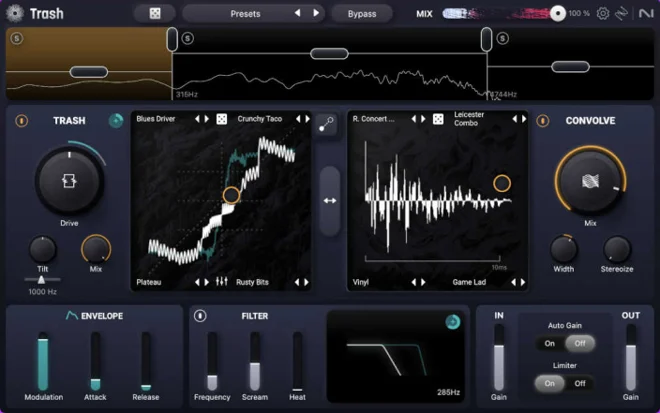
The current iZotope Trash replaces the legacy Trash 2 recommendation. It is a creative distortion processor with multiband controls, morphing between distortion characters and a Convolve section for applying resonant or speaker-like textures.
This is a useful choice for turning an ordinary drum loop, bass or vocal into a more obvious effect. Work on one frequency range when you want to keep some of the source intact, or blend different distortion and convolution sounds for a larger transformation.
The full desktop product supports 64-bit AAX, AU and VST3 on supported Windows and Mac systems, including Apple silicon. It needs a host and iZotope account/serial authorisation. Trash Lite is a separate free edition with fewer modules, not a free entitlement to the full processor. Current Trash is also a different product from Trash 2, so do not assume it will replace old instances in existing sessions.
13. D16 Group Redoptor 2

The Redoptor 2 from the D16 Group adds a distinctively glossy tube saturation to your sounds, which is quite different from other tape saturation plugins. It is useful for adding drive to a guitar, bass or drum loop when you want control over the preamp and the frequencies that reach the distortion stage.
The preliminary filters, tube bias, preamp compressor and four-band parametric EQ give you more shaping options than a basic drive knob. Its independent stereo signal paths also suit stereo synths and drum material. Use the output limiter carefully and compare levels when judging a more heavily driven setting.
The current Redoptor 2 line includes VST3 and native Apple silicon support. It is paid software for VST2, VST3 or AAX hosts on Windows, with AU also available on Mac; it is not standalone. Register the purchased serial in a D16 account and authorise the plugin from the host.
14. Vertigo VSM-3

Vertigo VSM-3, developed by Brainworx, is a harmonic processor based on the Vertigo VSM-2 hardware. It gives you separate second-harmonic FET and third-harmonic Zener stages, so you can choose how the added harmonics contribute to a recording.
The two stages can run in series or parallel, with frequency selection, dry/wet blending and mid/side controls. That makes it useful for carefully colouring a drum bus or a complete mix, as well as more obvious distortion. Distortion Solo helps you hear what you are adding instead of relying only on the louder combined signal.
This is a paid full plugin licence for compatible Windows and Mac hosts, rather than a hardware amplifier or an upgrade-only offer. Plugin Alliance handles account-based activation, including an offline option. Up to three machines can be authorised under its licence policy.
15. Brainworx bx_saturator V2
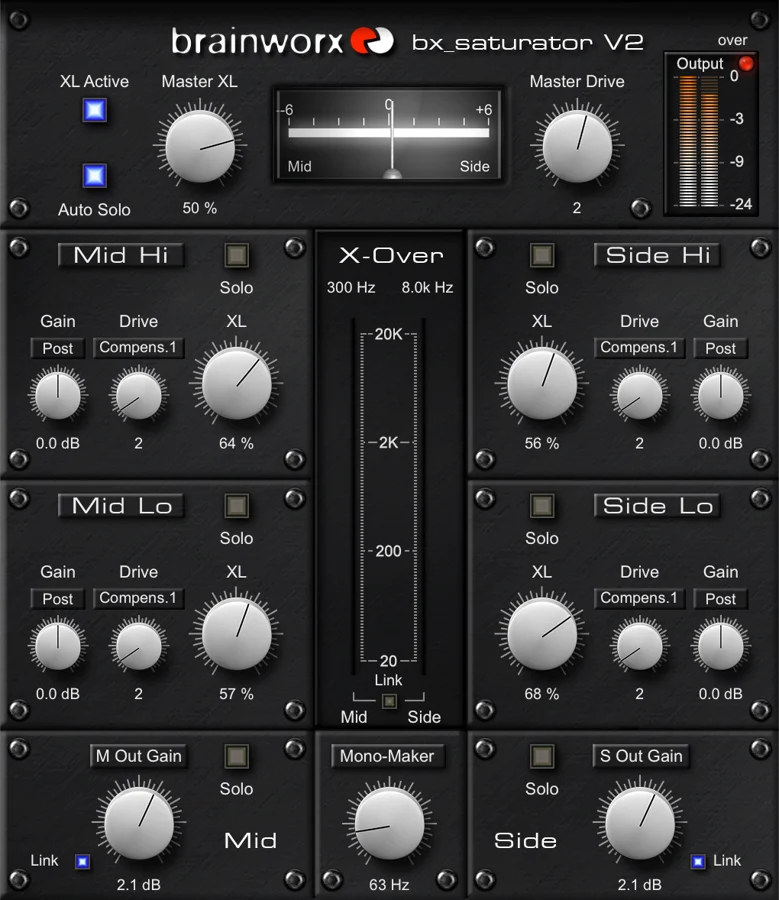
Brainworx bx_saturator V2 combines multiband saturation with separate mid and side processing. You can add different amounts of drive to the low and high ranges of the centre and sides, giving you four processing paths rather than a conventional three-band split.
This is useful when you want more edge in a stereo guitar or percussion part while keeping the centre controlled. Each path has gain, drive and XL blending controls, while Mono Maker can bring the low frequencies into mono. Match the output level rather than assuming a louder signal is automatically an improvement.
The current native plugin is paid software for compatible Windows and Mac hosts. This is the native Plugin Alliance product rather than a UAD hardware-dependent edition. Plugin Alliance account activation supports up to three machines and provides an offline process. The current installer adds a scalable interface; choose a format supported by your DAW.
Conclusion
Choose the plugin around the job: simple saturation for quick colour, tape modelling for a softer or less stable recording, and multiband or mid/side processing when you need more control. A free tool such as Saturation Knob, IVGI 2, Phoenix LT or Chow Tape Model can be useful alongside a paid processor.
Check the host, operating system and licence edition before downloading. A free trial, a limited free edition and a paid full licence offer different entitlements. Start with a small amount of drive, adjust the output level, and decide whether the change helps the recording.