Superior Drummer 3 vs EZdrummer 3 – Which One Should You Get?
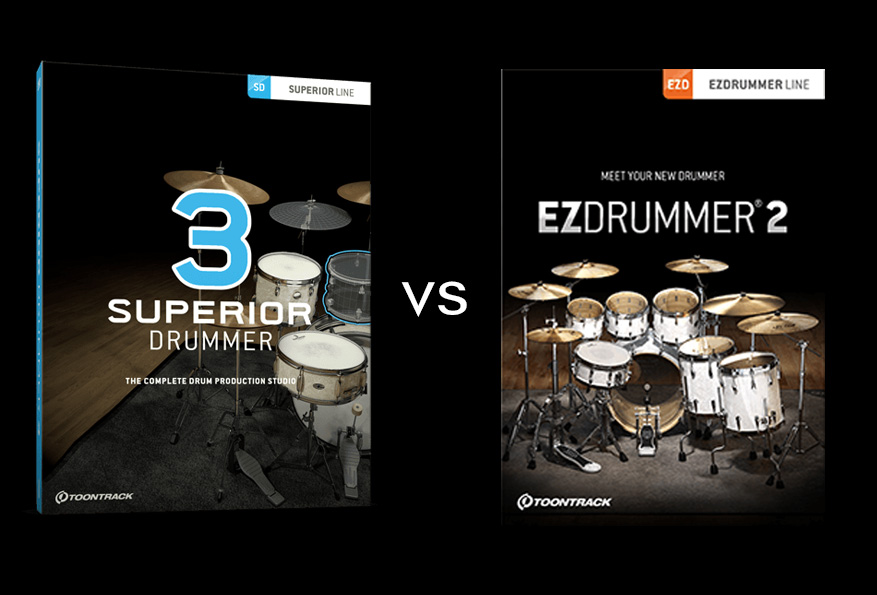
Toontrack offers two drum plugins: Superior Drummer 3 (SD3) and EZdrummer. Are they recycled versions of the same product veiled in marketing hype, or do they have their individuality and distinctive pros and cons? The short answer is, they are both great products that serve different purposes.
Contents
Superior Drummer 3 vs EZdrummer 3


You can try EZdrummer 3 free for 10 days after registering for a Toontrack account. It is a fully functional trial, rather than a permanently free edition. EZdrummer 3 replaces the discontinued EZdrummer 2 for new buyers; existing EZdrummer owners should check the separate upgrade option in their Toontrack account.
You can start with EZdrummer and later add Superior Drummer if you need more control. EZX packs are sound-library expansions, rather than a separate drum application. In this article, I’ll highlight the key differences between the two to help you find out which one suits your needs.
Ease of Use
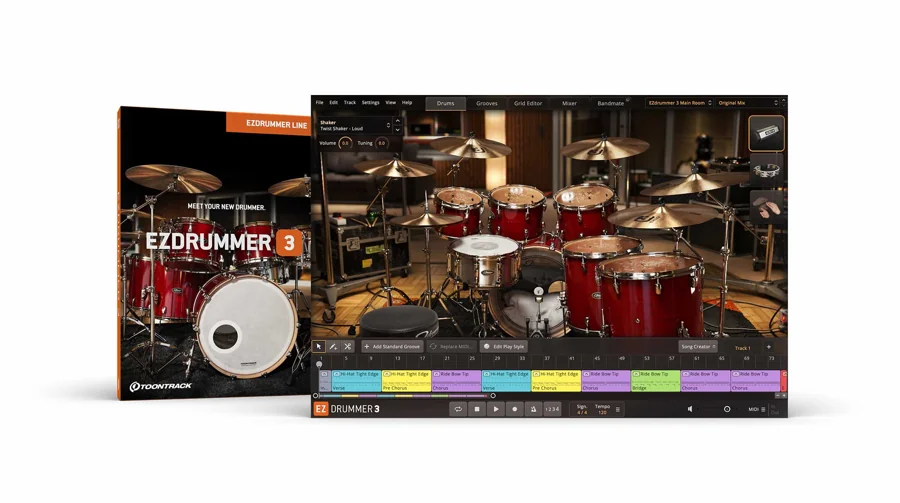
For quick songwriting and idea generation, EZdrummer 3 edges out Superior Drummer 3 for getting a drum arrangement started quickly.
Its simple interface makes it easy to lay down a drum track on the fly. That makes it useful for novices, songwriters and professionals who want a finished arrangement or a reference for a session drummer.
The Search tab and Browser tab are very helpful for quick navigation, and you can also use the different tabs to find groove files for your project.

On the other hand, SD3 is for those who want a full-featured drum plugin with tons of flexibility. If you are willing to put in the work, the built-in mixer, raw audio samples, and advanced features will allow you to tweak drum tracks to your heart’s (or ear’s) content.
This could be overkill if you plan to send it to a session drummer at a later stage. EZdrummer 3 keeps the more direct workflow, with Bandmate suggesting grooves from your audio or MIDI and Tap2Find helping you search by rhythm. There is a significant learning curve to SD3 that is hard to justify if you don’t need the advanced features.
Features
Superior Drummer 3 packs a punch when it comes to features. If you plan to program your final drum track, then it offers the whole shebang, from kitpiece choices and tuning to microphone channels and bleed controls. Take the raw, unprocessed samples and tweak, tweak, and tweak some more.
SD3’s Enhanced Grid Editor is another exemplary feature that allows you to get granular.
It allows you to label your instrument, edit the intricacies, and store multiple versions of MIDI grooves. This can be handy for a side-by-side comparison of groove variations.
Alternatively, EZdrummer has a Song Creator feature that you may really enjoy. It allows you to simply drag and drop grooves into the creator and will offer suggestions based on your arrangement. You can make tweaks and adjustments as you go and undo up to 100 changes.
EZdrummer 3 also has its own Grid Editor and step sequencer, so you do not have to rely on your DAW’s piano roll to edit a beat. SD3’s advantage is the depth of its mixer, microphone and bleed controls, plus its Tracker audio-to-MIDI workflow. Choose it when that extra production control matters to your music.
Sound Libraries
EZdrummer 3 includes seven kits recorded in three rooms at Hansa Studios, with a core library of roughly 15 GB. Superior Drummer 3 has a much larger core library with detailed microphone channels and unprocessed sounds. Its full sound installation needs roughly 236 GB; a smaller basic installation is available. Check available drive space before choosing the full installation.
A smaller library does not make EZdrummer 3’s core sounds or EZX expansions inferior. They are versatile, sound good, and are mix-ready. They’re perfect for people who want to load a groove without fussing over mixdowns.
EZX expansions work in EZdrummer 3 and Superior Drummer 3, subject to each library’s version requirements. SDX expansions require Superior Drummer 3 and do not load in EZdrummer. That difference matters when choosing extra sounds for these drum plugins; an expansion alone is not a licence for its required application.
Customization
SD3 wins this round without batting an eyelid with its super-detailed drum sampling. It is designed to customize all the nitty-gritties of drum samples, from mic bleed to drum tunings to velocity gates and beyond.
The sample base features all the top drum brands, and you can easily layer multiple tones/samples to create unique and hybrid sounds. If you’ve got your own samples, you can input them into the VST as well.
The core functionality of SD3 is similar to its previous avatars, but the UI is updated to be more flexible. You can resize the interface, and the Drums, Grooves, Mixer and Tracker screens cover sound selection, arrangement, mixing and audio-to-MIDI conversion.
On the other hand, EZ3 can help you focus on your composition instead of customization. The easy-to-use UI does come at the cost of tweakability. Don’t get me wrong; you’ve got some premium kits and highly useable premixed sounds that can get the job done.
Its core kits come with mix-ready presets and controls for shaping the sound. The presets sound great by themselves and are ideal for quick adjustments. You may even replace or mix and match different parts of the drum kit to come up with something unique. However, you’ll have to contend with EZ3’s relatively basic mixer to make the most out of them.
EZ3 and SD3: Crossgrading
Let’s not disregard that some of us need both functionalities. Sometimes, you just need to load a groove for a quick demo, and other times you want the editing/tweaking to make realistic drum tracks.
If that is you, you can own both. Toontrack offers a Superior Drummer 3 crossgrade for eligible EZdrummer owners, and an EZdrummer 3 upgrade for eligible owners of previous EZdrummer versions. Check the registered products in your Toontrack account before choosing either offer. The regular full licences suit new users; an upgrade or crossgrade has an ownership requirement. Your EZX content can work in both applications, but SDX content remains exclusive to Superior Drummer 3.
Both instruments run standalone or as 64-bit plugins, with VST3, AU and AAX support. Their stated operating-system requirements are Windows 10 or later and macOS 10.13 or later. Install, register and authorize them through Toontrack Product Manager; check your host’s compatibility before buying. The current releases are Superior Drummer 3.4.4 and EZdrummer 3.1.2.
For an electronic drum kit, both offer MIDI mapping and controls for response. EZdrummer 3 includes e-drum presets and hi-hat/velocity adjustments, while Superior Drummer 3 offers more detailed mapping and sound control. Choose the simpler workflow for playing quickly, or the deeper one when you need to tailor individual articulations and microphone channels.
The Verdict
Pick Superior Drummer 3 if you seek total control over drum programming and sound shaping. Be prepared for the learning curve, but also be aware that it is worth it.
Pick EZdrummer 3 for fast songwriting, groove editing and mix-ready drums. Its Bandmate, Grid Editor and Song Creator can take you beyond a rough demo without needing Superior Drummer’s deeper mixer.
It makes it easy to stay focused on composition and creativity instead of digressing into the nitty-gritties of mic placement and bleed. It has all the fundamental tools necessary to work quickly, conveniently, and convincingly.
Final Thoughts
Drum plugins like Superior Drummer 3 and EZdrummer 3 allow producers and musicians to create realistic and convincing grooves without the need for a physical drummer or drum kit. As technology advances, these virtual drums continue to surprise us with their realism and ability to mirror the nuances of real drummers.
We’ve articulated the key differences, features, and functionality to help you decipher which one fits your workflow. I hope this article has helped you identify the right drum VST for your needs.
Toontrack products have a rock-solid reputation among music producers. Over the last decade, they have repeatedly proven that they are committed to their users and constantly upgrading their libraries. If it serves your needs to a T, either one of these drum plugins is worth the investment.