Drum replacement plugins can analyze a drum recording and replace it or layer it with a sampled drum track.
These can be incredibly useful if you want to beef up your drum mix, or if you want to completely replace it with something different.
They work with acoustic drum recordings and audio recorded from electronic kits. If your e-kit already sends MIDI, you can drive a drum instrument directly; you only need audio replacement when you want to change the recorded sound.
Start with Addictive Trigger for automatic setup and included acoustic sounds, or Trigger 2 Platinum for layered kick, snare, and tom replacement. UVI Drum Replacer is useful for your own samples and instruments. Drumagog 6 adds editable hit detection and whole-kit replacement in its Platinum edition. There are two free options below.
Contents
1. Addictive Trigger by XLN Audio

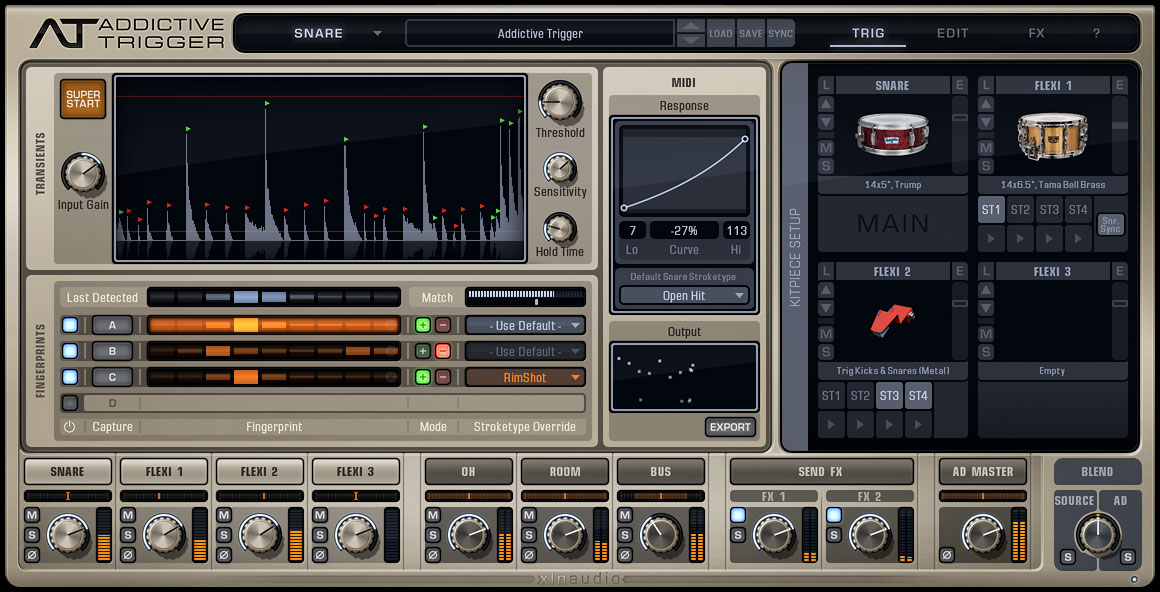
One of the most well-known drum replacement plugins is Addictive Trigger by XLN Audio. It’s a very capable drum replacer that uses a feature they call “Audio Fingerprint” to identify drum hits with a very good degree of accuracy.
It even does this quite well in cases where there is microphone bleed, which can easily throw off drum replacers.
This plugin also has a really nice “SuperStart” feature, which automatically sets parameters on the plugin based on your source audio. This is a really useful feature because drum recordings can be very different from each other, depending on the mic setup, volume, and drumming style.
You do not need to use any other drum plugin in order to get drum sounds out of this particular plugin. Addictive Trigger uses a selection of samples from the Addictive Drums 2 library, which are very well known for their high-quality sound.
This also integrates very nicely with Addictive Drums 2. So, if you also own that plugin, then you can get quite a solid combination of virtual drum production and drum replacement.
Addictive Trigger can export detected hits as MIDI for another drum instrument. For a larger included selection, the Addictive Trigger + Drum Vault Bundle includes the engine as well as Drum Vault. Drum Vault on its own is an expansion, not a replacement licence for Addictive Trigger.
Use the current 64-bit installer from XLN Audio for VST3, AU, or AAX. A separate Addictive Drums 2 purchase is optional; you only need it to use the additional AD2 content you own.
2. Trigger 2 Platinum by Steven Slate Drums

Steven Slate Drums Trigger 2 Platinum is also a very popular professional drum replacer with a sample library included.
This is also a very capable engine that allows you to trigger up to eight stereo samples at the same time. You can mix, tune, and pan these as you require, along with a lot of different customization to the samples that you would expect from a standard sampler.
The drum sample library was created by Steven Slate, and it has been used by quite a few pros in the industry. The samples were created using high-end gear. The plugin can also be used along with other expansion libraries if you want to get more sounds out of this.
This also includes MIDI in and out. Therefore, you can just use the drum replacement features on this and trigger samples using another sampler or plugin on your DAW.
View Price at Plugin Boutique. Choose the full Platinum licence when buying from Sweetwater. Expansion packs and upgrade licences are separate products.
Trigger 2 supports Apple Silicon and can be authorized to the computer through the PACE License Manager. A physical iLok dongle is optional. Its smaller free edition below uses the same detection engine but includes a limited sample selection.
3. UVI Drum Replacer Modern Drum Software Instrument
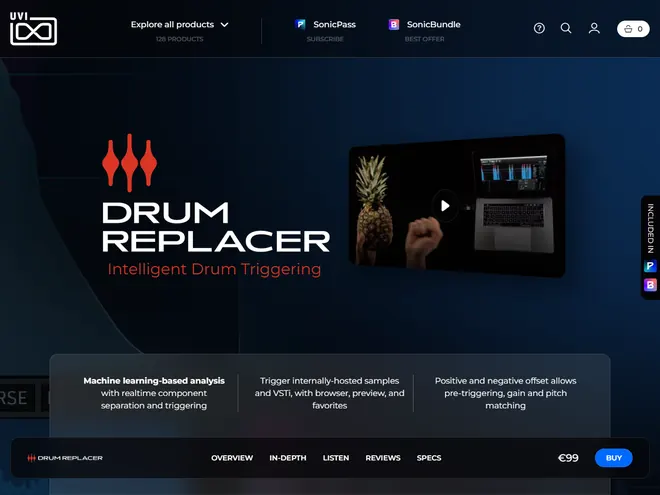
The UVI Drum Replacer is a drum replacement tool with a really nice interface and a lot of features. You can separate up to five different components from your drum tracks, and eight layers can be used with your other instruments and samples.
There’s nice visual feedback on the waveforms to show what’s been triggered, along with good mixing controls and hit detection controls.
UVI Drum Replacer supports 64-bit Windows and macOS in VST, VST3, AU, AAX, and standalone formats. Activation needs a free iLok account, with no physical dongle required. Use your own samples or hosted instruments; do not assume the purchase includes a full acoustic drum library.
4. Drumagog 6 by WaveMachine Labs
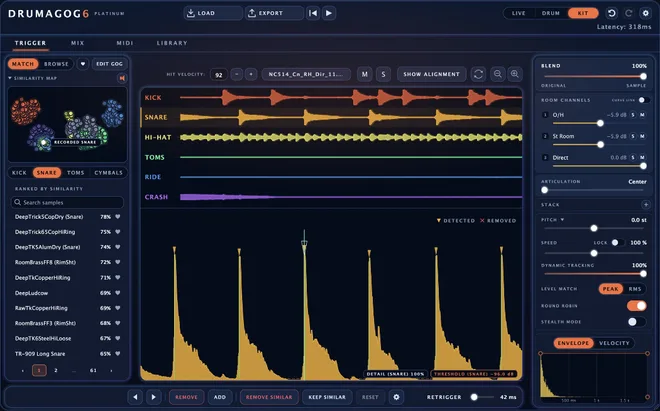
Drumagog 6 Platinum Kit mode
Drumagog 6 is the current version of this long-running drum replacement tool. It shows detected hits on a waveform so you can fix their timing and velocity, and it sorts your GOG sample library by similarity to the recorded drum.
The Pro edition works on individual drums. Platinum adds Kit mode, which replaces several drums from a stereo drum bus, as well as sample layering, plugin hosting, a gate, a transient shaper, and convolution reverb. Choose Platinum for those features rather than assuming the two editions are interchangeable.
Drumagog 6 runs natively on Intel and Apple Silicon Macs and on 64-bit Windows. It includes VST3, AU on Mac, AAX, and a standalone app, with ARA 2 in compatible hosts. Activation uses a Drumagog account and does not require iLok.
Existing GOG libraries load in version 6, and Drumagog 5 can stay installed for older sessions. Buy the new version from the developer; a retailer listing for Drumagog 5 is not the same product. The seven-day Platinum trial is a trial, not a free unlimited edition.
5. Trigger 2 Free (Free Option)
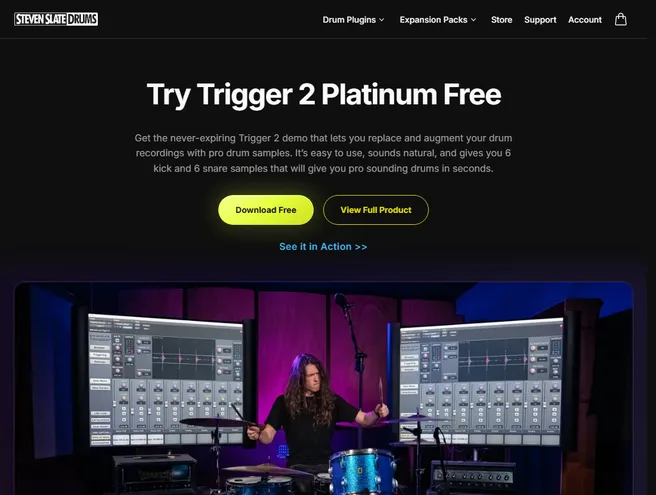
Trigger 2 Free download page
Trigger 2 Free is Slate’s never-expiring limited demo, with six kick and six snare samples. It is a useful first choice if you want to try audio drum replacement without buying a large library.
You get the Trigger detection and shaping workflow, but not the full Platinum library. That makes it suitable for basic kick and snare reinforcement; choose the paid version if you want its wider sample collection and expansions.
Download it through the developer’s free-edition page and check its installation instructions for your DAW.
6. ReaGate (Free Windows Option)
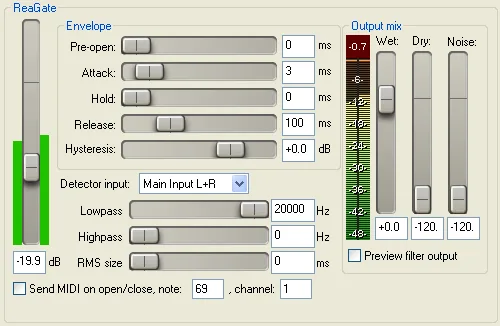
ReaGate in ReaPlugs is a free Windows VST gate that can send a MIDI note when the gate opens. Use it to trigger a separate drum sampler from a clean kick or snare track.
Set the detector’s high-pass and low-pass filters to focus on the drum you want, then enable “Send MIDI on open/close” and set the note and channel for your sampler. Your DAW must be able to route MIDI from an effect to the instrument.
This is a basic threshold-based trigger with no included drum library. It will need more adjustment on busy recordings with bleed, and it does not give you the detailed velocity analysis of a dedicated replacer. The separate free ReaPlugs download is Windows-only; ReaGate is also included inside REAPER on its supported platforms.
FAQs
What Is a Drum Replacement Plugin?
Drum replacement is the process of either augmenting or substituting the individual hits in a drum recording with samples to alter their sound or to enhance the recording.
What Is the Point of Drum Replacement Plugins?
It can be quite difficult to record an acoustic drum set to modern commercial production standards. Sometimes incorrect mic setups, mic bleed, badly tuned drums, or wrong cymbal selections do not sound right with the mix. This can all lead to your drum track sounding bad within your song.
A good drum replacement plugin should detect the hits you want while rejecting bleed. Check its supported drum types rather than assuming it can separate every sound. Different types of drums need different detector settings, and cymbal replacement is not supported equally by every tool. With a good drum replacement plugin, you want to make sure that you only need to do minimal tweaking to get exactly the right sound you want. Some of these plugins also work in tandem with other drum VSTs, and others work right out of the box by themselves.
Can You Transfer Drum Track Audio to MIDI?
Yes, you can. Some DAWs include audio-to-MIDI tools. Ableton Live has Convert Drums to New MIDI Track, while Logic Pro has drum replacement and doubling for audio tracks. Check your edition and the source material: a clean close-mic track is easier to analyze than a complete mix.
Can We Use Drum Samples and Drum VSTs for Beat Replacement?
Drum samples and drum VSTs that work with MIDI can be used together with a beat replacement plugin to achieve the desired outcome.
Moreover, if the song has basic beats, you can completely skip the beat replacement plugin and effectively just “draw in the beat” using MIDI or samples. You can use drum VSTs or drum samples for this purpose.
Drum Replacement in Ableton Live
Ableton Live gives you the option to convert your audio tracks to MIDI.
It has a drum MIDI option, which is best with isolated drum breaks and drum beats. This does not work quite as well as all of the more sophisticated drum replacement plugins that are in this article, but it might just be enough for you if you’re working with pretty simple beats.
You might still need to do quite a bit of tweaking. But, see if it works for you. The same applies to other DAWs, so check out tutorials on how to do this in your application.
Summary
Drum replacement plugins can be used to augment the sound of your drum tracks as well as to completely replace recordings with sampled drums.
The modern music industry now expects a very high level of music production quality, and drum replacement plugins provide a very useful tool for mixers and producers to speed up their workflow and to improve the drum tracks.
Several options can export or send MIDI to other drum instruments, but the routing and export method differs. ReaGate needs a separate sampler; Addictive Trigger and Trigger 2 include sounds for replacing drums directly.
If you want to go for an easier option, you can just get a drum replacement plugin that includes a sample library by itself, which will be an all-in-one option for your drum replacement needs.
However, keep in mind that you do not always need to overcomplicate things. For many forms of mainstream music, pretty quantized simple beats are used, and you could just use a MIDI library for these, or you could even draw them in yourself on the piano roll of your digital audio workstation.
What’s your favorite drum replacement plugin? Write it in the comment section below.